Your shop in your pocket: capture, approve, live.
The business app is built for use at the counter: large buttons, one-handed capture, shortcuts. Sign in with your web dashboard account; your listings, requests and messages are the same.
Buyers and businesses use the same app. When you sign in with your business account, the business screens open.
The Android version is not available for download right now. You can use the site in your phone's browser.
The iPhone version is not on the App Store yet. On iPhone, you can use CepParça in your browser.
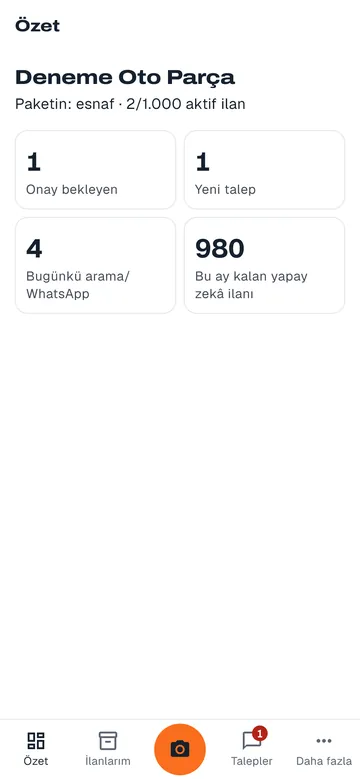
There are no purchases in the app. Plans and ads are handled in the web dashboard; in the app you only see their status.
What the app does
-
Capture screen
The orange button in the middle opens the camera. Use burst mode to photograph the parts on your shelf one after another; each photo becomes a separate draft.
Details: Capture screen -
Approval queue
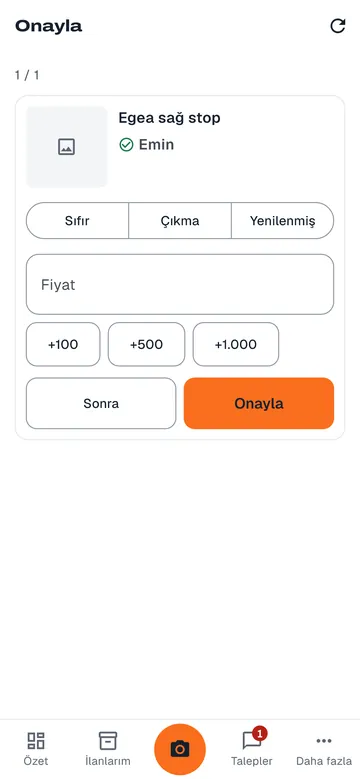
Drafts come in one by one. Choose the condition, enter the price or add it with the quick amount buttons, then tap Approve or Later.
Details: Approval queue -
Glove mode
Buttons get bigger and borders get thicker. It is easier to tap with gloves on or with greasy hands.
-
Requests and messages
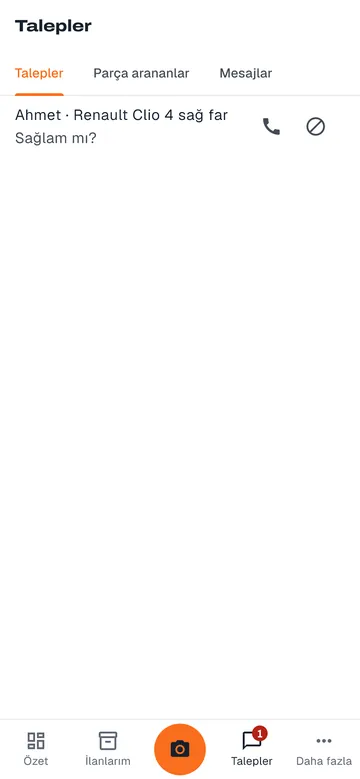
See buyer requests, part seekers and messages in one tab, and reply without leaving the counter.
Details: Requests and messages -
Analytics
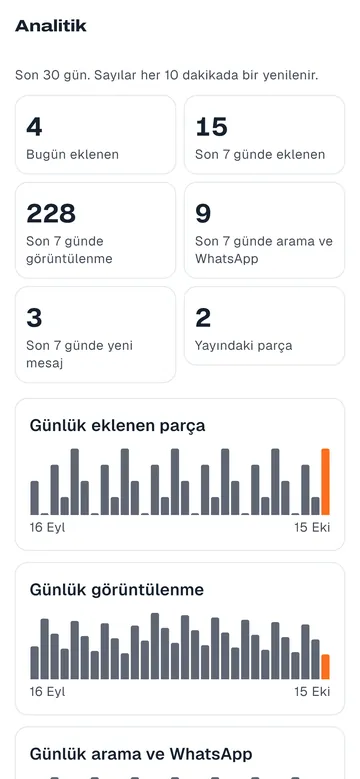
Daily counts of parts added, views, calls and WhatsApp messages for the last 30 days in a chart.
Details: Analytics -
Team and invite codes
Your staff member joins your team with an invite code; depending on their role, they add listings or only use the approval queue.
Details: Team and invite codes -
Notifications
Your phone gets a notification when there is a new request, a message or a buyer looking for a part. Choose which notifications you get in settings.
Screens
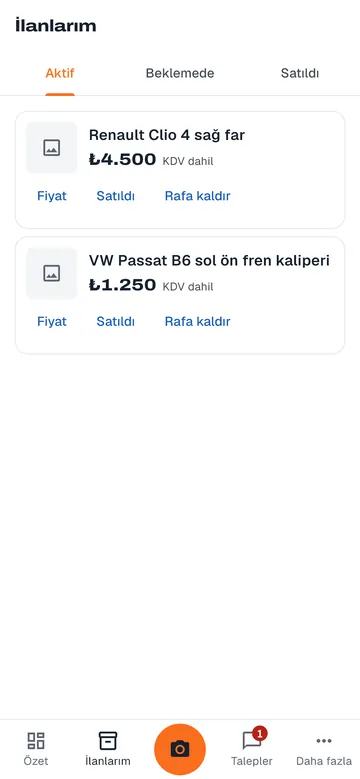
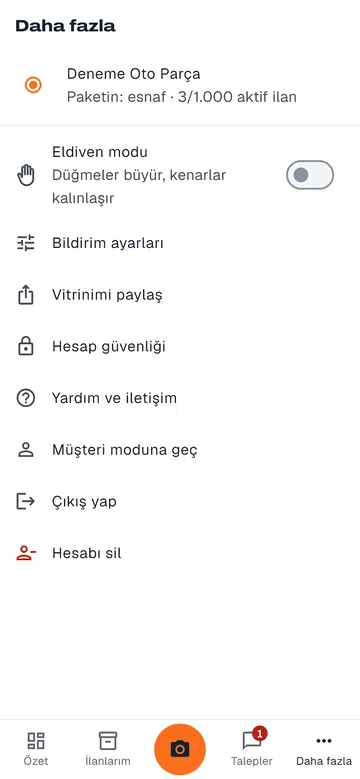
Works with the web dashboard
Bulk upload, stock sync, plans and ads are in the web dashboard. A listing you add on your phone also appears in the web dashboard and on your storefront.